Ask your AI. Get the engine’s exact answer.

BTC DCA Engine speaks the Model Context Protocol (MCP), the open standard AI assistants use to call tools. Connect Claude, ChatGPT, Cursor or any MCP client once, ask what a dollar-cost-averaging plan would have done, and get the simulator’s own figures — with a link that opens the identical run.

Server URL https://btcdcaengine.com/mcp
  • No account needed to start
  • Read-only: it never trades
  • Every answer links to its run
What it looks like

One question. The engine’s own numbers.

You

What would $50 a week into Bitcoin since January 2018 be worth?

Tool call

run_dca · Bitcoin · $50 weekly · from 2018-01-01

Assistant

$110,007.15 from $22,700 put in: 1.4057 ₿ bought across 454 weekly purchases. Counting each dollar from the day it went in, that is a 35.1% a year money-weighted return.

Data through 9 September 2026 · historical arithmetic, not advice

Open this run in the simulator
A real answer from 9 September 2026. The link is pinned to that day’s data, so it reopens exactly this run while the live answer moves with each new close.
What it is

The simulator, as a tool your assistant can call.

An MCP server is a set of tools an AI assistant can use on your behalf. This one is the BTC DCA Engine itself: ask in plain words, and the assistant turns your question into a simulation, runs it here, and reports what came back.

Same engine

No guessed math

Your assistant runs the exact engine behind the web app, against the same daily closes. It does not estimate from memory or scrape a chart.

Share links

A link behind every answer

Every result carries a link that opens the identical run in the simulator, pinned to the data it used, so you can check the chart yourself.

Compare

Plans side by side

Weekly or monthly, Bitcoin or gold, 2017 or 2020: several plans over the same data, ranked by final value, with one link that opens them all together.

Four tools

Read-only by design

list_assets, data_status, run_dca and compare_plans. It reads price history and runs arithmetic. It never trades and never asks for a wallet.

Honest output

The caveats travel with it

Every result names the date of its data, credits its sources and says it is historical arithmetic, not advice — inside the answer, where the assistant reads it.

Any client

Works where you work

Claude, ChatGPT, Claude Code, Cursor, VS Code, Codex, Gemini CLI, Windsurf, Cline, and any other app that connects to a remote MCP server.
Every answer arrives with the run behind it.

Pinned to the data it used

Open the link and the simulator redraws the same plan on the same data vintage, so the figure your assistant quotes and the chart you see are one number. If an assistant ever misreads a result, the evidence is one click away.

Free · Pro

Free to start. Pro unlocks every asset.

You can connect with nothing but the URL. A free account’s key raises the daily allowance; Pro opens every asset, bigger comparisons and the overlays. Ask for something Pro without it and the answer says what unlocks it.

No accountjust the URL Freekey or sign-in Pro$9/mo · $79/yr
Simulations a day per address, or per key502001,000
Plans in one comparison225
The seven free assets Bitcoin, Ethereum, Solana, XRP, S&P 500, Nasdaq 100 & Gold
Every other asset silver, oil, real estate, Mag-7, bonds · 71 assets with Pro
Fear & Greed overlay in the link
Lump-sum benchmark
Inflation (CPI) arm
Mayer Multiple overlay
Sharpe & Sortino risk metrics
Smart DCA buy rules
Price$0$0$9/mo
ConnectSign upGo Pro

Upgrading or canceling takes effect within a minute, with no reconnecting: a key or a sign-in is read against your account on every call.

Connect

Pick your assistant. One URL does the rest.

Claude

claude.ai, the desktop app and mobile

  1. Open Settings → Connectors and choose Add custom connector.
  2. Name it BTC DCA Engine and paste the server URL.
  3. Skip sign-in to start free. To use your account, sign in: Claude opens a page on this site where you approve it.
https://btcdcaengine.com/mcp

Custom connectors work on every Claude plan, including Free, and a connector added on the web appears in the desktop and mobile apps.

ChatGPT

ChatGPT on the web

  1. In Settings → Security and login, turn on Developer mode.
  2. Open Plugins, choose Search Plugins, then the + beside the search box. Enter the server URL with No authentication.
  3. In a new chat, pick BTC DCA Engine from the @ menu. If it is missing, log out and back in.
https://btcdcaengine.com/mcp

Developer mode is on ChatGPT’s paid plans, and its menu names move between releases. ChatGPT has no field for a key, so it connects with the free view.

Claude Code

in your terminal

  1. Run this once:
claude mcp add --transport http btcdca https://btcdcaengine.com/mcp
  1. To use your account, add your key as a header:
claude mcp add --transport http btcdca https://btcdcaengine.com/mcp --header "Authorization: Bearer YOUR_KEY"

Type /mcp inside Claude Code to confirm it connected. Claude Code uses keys, not sign-in.

More assistants and editors

Each takes the same URL. Where a snippet has a headers line, it is optional: leave it out for the free view, or put your key in it to use your account.

Cursor

Add to ~/.cursor/mcp.json (every project) or .cursor/mcp.json (one project):

{
  "mcpServers": {
    "btcdca": {
      "url": "https://btcdcaengine.com/mcp",
      "headers": { "Authorization": "Bearer YOUR_KEY" }
    }
  }
}
VS Code (GitHub Copilot)

Run MCP: Add Server from the Command Palette and choose HTTP, or add to .vscode/mcp.json:

{
  "servers": {
    "btcdca": {
      "type": "http",
      "url": "https://btcdcaengine.com/mcp",
      "headers": { "Authorization": "Bearer YOUR_KEY" }
    }
  }
}
OpenAI Codex CLI

Add to ~/.codex/config.toml. The key is read from an environment variable, never written into the file:

[mcp_servers.btcdca]
url = "https://btcdcaengine.com/mcp"
# optional: export BTCDCA_KEY=YOUR_KEY first
bearer_token_env_var = "BTCDCA_KEY"
Gemini CLI

One command, or the same server under mcpServers in ~/.gemini/settings.json with httpUrl:

gemini mcp add --transport http btcdca https://btcdcaengine.com/mcp
Windsurf

Add to ~/.codeium/windsurf/mcp_config.json:

{
  "mcpServers": {
    "btcdca": {
      "serverUrl": "https://btcdcaengine.com/mcp",
      "headers": { "Authorization": "Bearer YOUR_KEY" }
    }
  }
}
Cline

In Cline’s MCP settings, add a remote server. The transport must be named, or Cline assumes the older one:

{
  "mcpServers": {
    "btcdca": {
      "type": "streamableHttp",
      "url": "https://btcdcaengine.com/mcp",
      "headers": { "Authorization": "Bearer YOUR_KEY" }
    }
  }
}
Any other MCP client

Add a remote server using Streamable HTTP at the URL above. No authentication is needed. To use your account, send the header Authorization: Bearer YOUR_KEY. There is no local install and nothing to run.

Your account

Use it as your account: a key, or a sign-in.

An API key

  1. Log in to the simulator and open Account → API keys.
  2. Create a key and copy it. It is shown once.
  3. Put it in your assistant’s Authorization header as Bearer YOUR_KEY.

Up to five keys per account, each revocable on its own. A key carries no plan of its own, so it follows yours when you upgrade or cancel.

Sign in from Claude

  1. Add the connector and choose to sign in, or ask for something Pro and pick Connect when prompted.
  2. A page on this site shows which assistant is asking. Log in and approve.
  3. It appears under Account → Connected assistants, where one click disconnects it.

No key to copy or store. Assistants that cannot sign in, such as Claude Code, use a key instead.

Try asking

Questions it answers well.

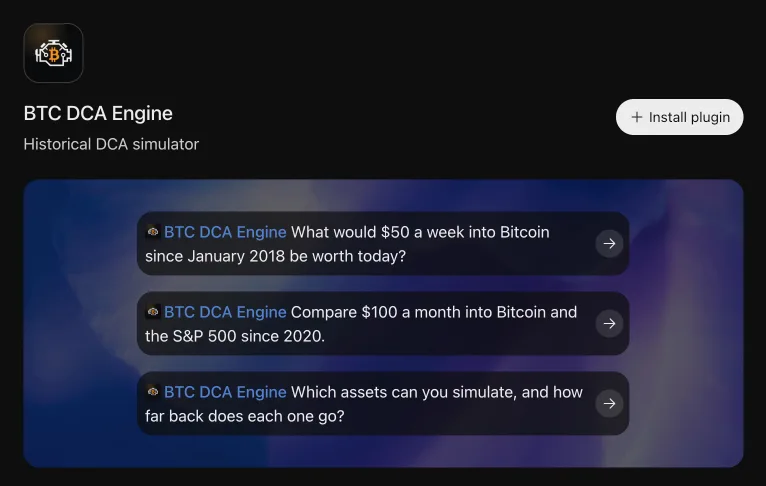
“What would $100 a month into Bitcoin since 2020 be worth today?”One plan · free
“Compare $50 a week and $200 a month into Bitcoin since 2018.”Two plans · free
“Same $200 a month since 2016: Bitcoin or the S&P 500?”Across assets · free
“If I saved for six months before buying, would I have ended up ahead?”Save, then buy · free
“Show Sharpe and Sortino for $50 a week into Ethereum since 2019.”Risk metrics · Pro
“Skip buys when the Mayer Multiple is above 2.4. What changes?”Buy rules · Pro
Questions

Before you connect.

Is it free?

Yes, to start. With no account you get 50 simulations a day per address, up to 2 plans per comparison, and the seven free assets. A free account’s key raises that to 200 a day. Pro, at $9/mo · $79/yr, unlocks all 71 assets, 5 plans per comparison, the overlays and 1,000 simulations a day.

Does it give financial advice?

No. It reports what a schedule of purchases would have been worth against real historical closes. Every result says so in its payload, so an assistant relaying the number carries the caveat with it.

Can it buy Bitcoin or reach my wallet?

No. All four tools are read-only. There is no trading, no exchange connection and nothing that asks for a wallet or a payment card.

Why does the same question give a different number tomorrow?

Each answer runs to the latest completed day’s close, so it moves with the market. The share link is pinned to the data vintage it was computed against and keeps showing the same number, and an assistant can pin a question to a date with as_of.

What does it keep about me?

A hashed daily counter per address or per key, and usage statistics that carry no address or identifier. For keys, the first characters, the label and the day each was last used. The full account is in the privacy policy.

Where is the full reference?

The knowledge base has the connection guide, the tool reference with every argument and result field, and limits and troubleshooting.

Connect it once. Ask it anything about the past.

Free to start: no account, no install, one URL.